How to Print Multiple PDFs at Once
Printing is probably one of my least favorite tasks as an Office Manager. But, even if you have created an efficient digital processes using
- an organized email inbox,
- filing structures,
- user-friendly forms and documents,
- and digitized signatures,
sometimes you may still have to print. And when you do, you probably want to do it efficiently, too.
Examples of Documents That Require Physical Copies
Here are a few examples of things I print in my office.
- Interview materials
- Important meeting materials
- Confusing email chains for thorough reading
- contracts and invoices
Often, these print jobs are not only 1 document, but several. The best example is interview materials. An interview package for each interview panel member may include application materials, a data-privacy note, and internal referral documents.
In this post, you’ll learn:
- how to print several PDFs at once using your printing options
- how to use Adobe Pro to combine PDFs for combined printing
Have fun.
Not what you were looking for? How about this ⬇️?
Options for Printing Multiple PDFs at Once
You have a couple of different options for printing multiple PDFs at once. I am a Windows user, so I’m going to show you what my printing options look like on my screen. Please know that these might be different for you.
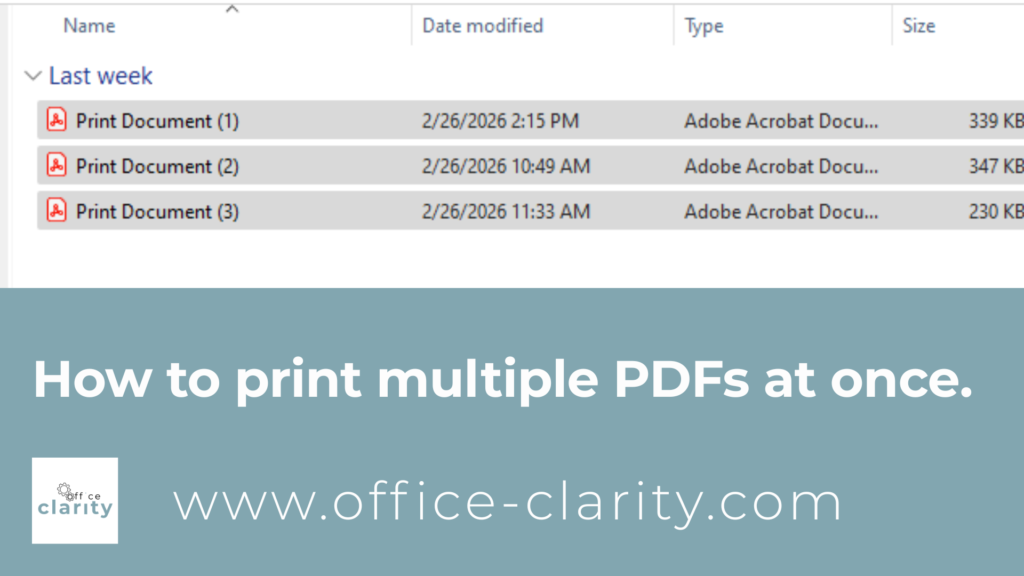
Option 1: Send all PDFs to your Printer At Once
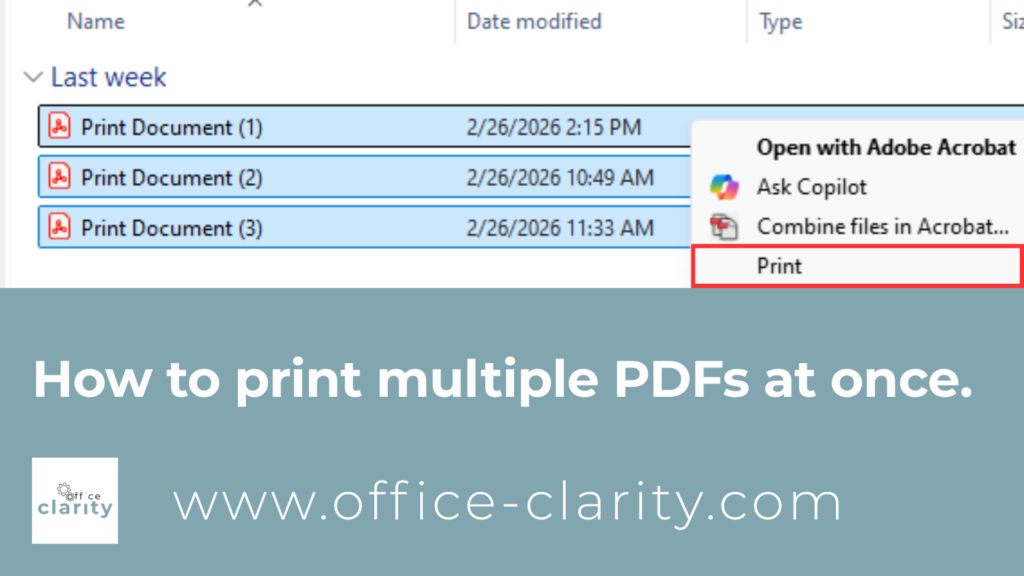
2
Right-click and click “Print”.
Note: The “Print” option might be hidden under “Show more options”.
Option 2: Combine your PDFs into one Document that you Print
This option requires you to have a license for Adobe Acrobat.
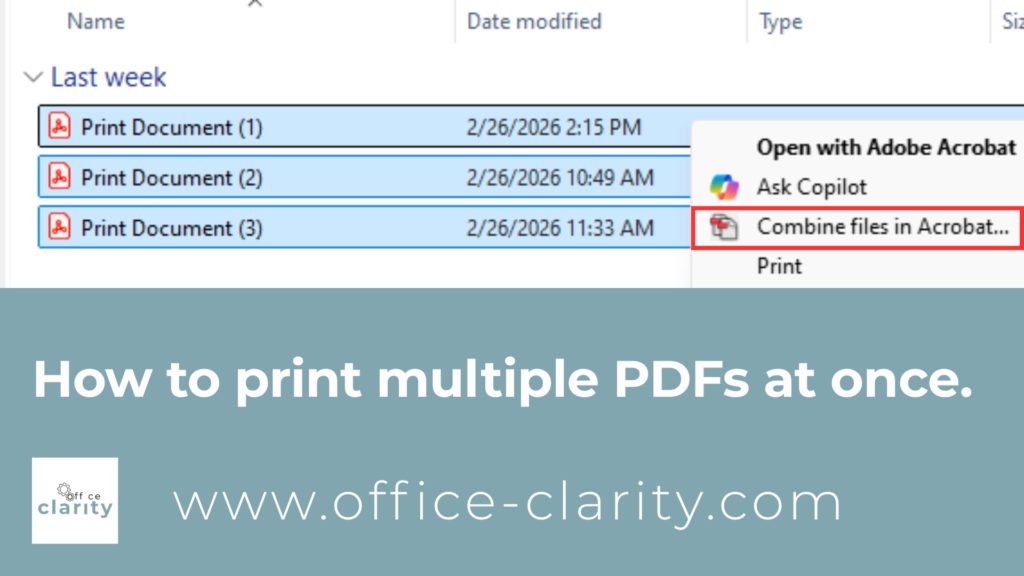
3
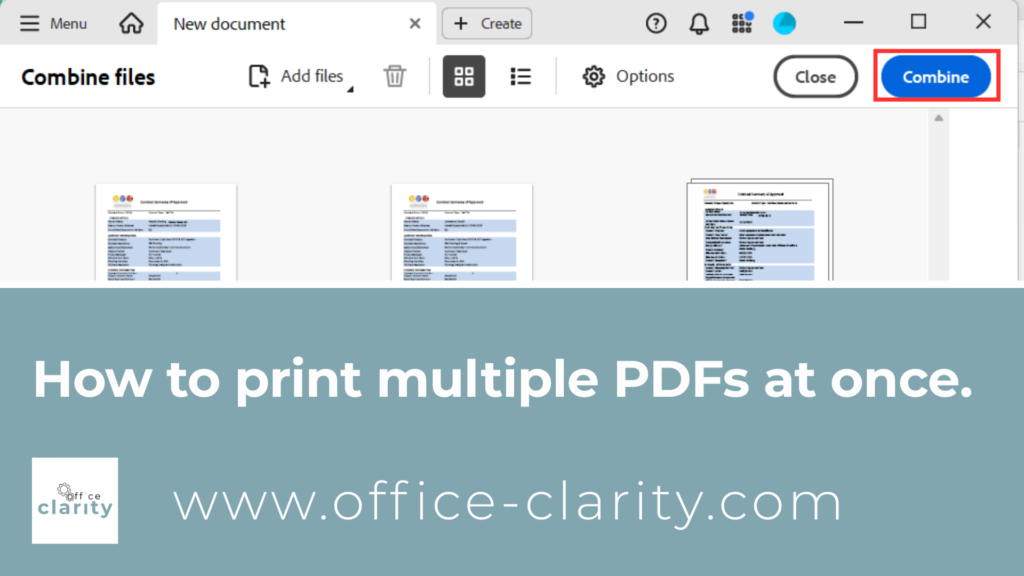
Adobe Acrobat will open and show you the document you want to combine. In this case, 3.
Click “combine”.
4
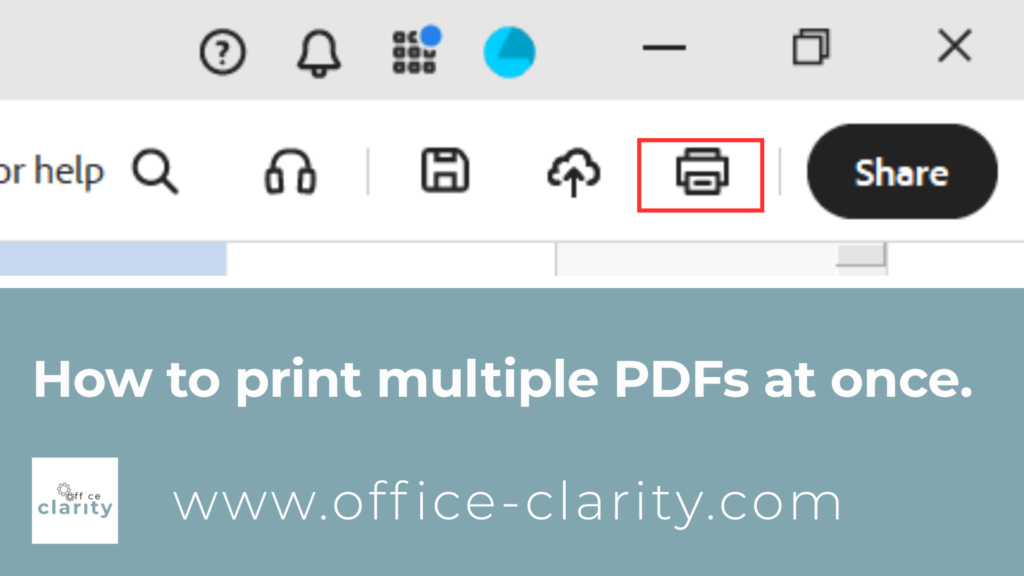
After a moment, Adobe will reopen with only 1 big document.
Now you can print the document directly within Adobe by clicking the print icon.
I hope this helps. I remember when I was asked to print 15 documents and at first let out a little sigh and after a second thought, “There must be a way to do this quicker!” And I found it.
Happy printing and remember to use recycled paper 🌍
You May Also Be Interested In:
p.s.
One More Thing:
I am sure you would not say “no” to receiving fewer emails altogether. What if I told you there is a way you might not have thought of? A method that will reduce the number of emails you receive… I personally guarantee it!
Curious and willing to learn? Click below to receive your free email template for every future email you’ll write.
Write? Yes. You’ll see.