How to Organize Files on Mac Computers
How to organize files on Mac computers is a good question when you – like me – have created some [unintended] file chaos and are in desperate need of cleaning it up.
While websites and computers have search functions,
keeping a structure of where things go is essential for clarity.
Whether it’s your personal or your work device, when you keep files in order, you will be less stressed at work and more focused.
Wouldn’t it be nice to open your Mac and see a clean Desktop? – one with just an inspiring image?
Which Desktop Do You Prefer?


Yeah….me, too. Let’s take the organized clarity over the download-folder junkyard. How do you get there? Here are three simple steps based on the Konmari method.
3 Clear Steps to File Clean-Up:
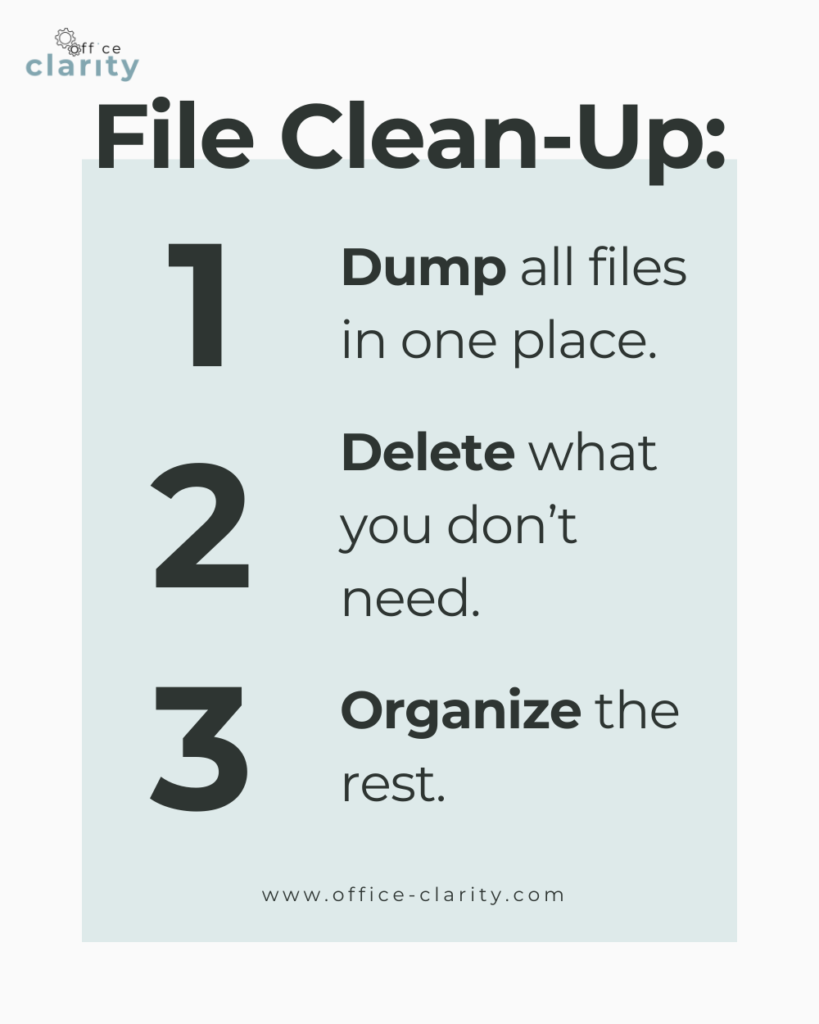
#1: Dump all your files in one place:
Take inventory of where you have all your files and dump them all in one place. This could be your desktop or just downloads folder or a new folder altogether. It’s important to have all your documents in one big virtual pile, so you get a full picture of what you actually have.
#2: Delete what you don’t need:
Now that you have all your file in one big messy place, go through all your files and delete everything you don’t need anymore.
Oh, how I love the sound of emptying my trash can 🗑️ 😉
Alternatively, if you feel like you have more files to delete than to keep, just select those that you want to keep. Delete the rest.
#3: Organize the rest.
This may be the hard part. Now that you have all the files you want to keep, organize them using folders. Remember how you had to find categories for things in school? That’s what we are doing now. Think about how you could group your files. You could do this by:
– type of file: photos, contracts, meeting notes, Standard Operating Procedures etc.
– by project: Emergency Operations Center set up, SOP-Library.
– by time of year
It’s really up to do. At work, I organize my files by work area, so: Finance | Operations | Legal etc.
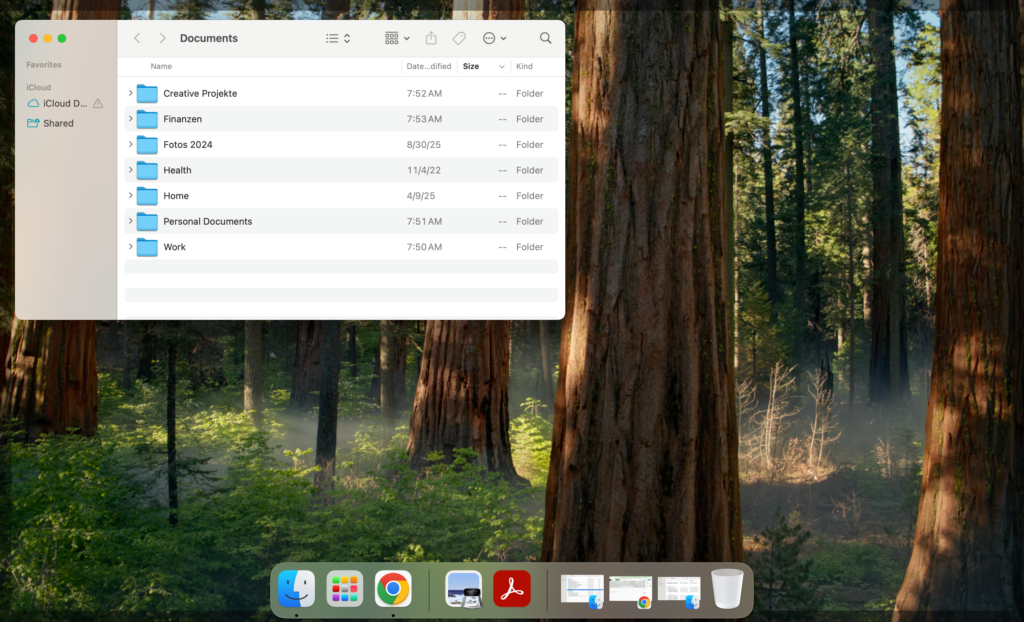
On the right, you see the foldering system I use for my personal files. I categorize them into the following folders:
- creative projects
- finances
- photos
- health
- home
- personal documents
- work
In all honesty, I wanted to have all my work files organized and documented in this post – but work life happened and I will have to do that next time – stay tuned. So, today just the theory.
Folders Give Every File a Home

The beauty of folders (whether digital or physical) is that now every file has a home – you just need to put it there.
Whether you ask AI or Google the question of “How to organize files on Mac Computer?” at some point during the answer, you will read this one tip:
Use folders! And I agree.
Some people are of the opinion that the search function on your Mac is enough to find what you need. That may work for some. It doesn’t for me. I like order.
I like to operate under the premise that: Everything has a home.
“Everything” = your files
“Home” = a folder (even if the folder is the trash can)
So, try out foldering your files and see if it work for you.
Don’t Forget About Your Downloads Folder – Your File Junkyard
The potentially biggest pain point when it comes to file organization may be your downloads folder. I was surprised when I went into mine to see all the things I found in there.
You should have emptied your downloads folder during the first step, but in case you forgot – here is your reminder: Don’t forget about your downloads folder! This is an easy area on your Mac to get messy.
How Do I KEEP My Files Organized on My Mac?
Great question. Habit. Habit. Habit. Now that you have a beautiful, clear foldering system, make sure you use it!
Make it a habit to file away what you want to keep and delete what you don’t at the end of your work day or week. This will take a little bit of practice. But bit by bit – it will become second nature and your Mac will stay nice and organized.
Let me know in the comments how you organize your files on your Mac!
Want More Tips For An Easier Office Life? Consider these Articles:
How to Set up Rules for Outlook for Guaranteed Inbox Clarity
How to be Less Stressed at the Office with This Easy Email Habit
Email Back and Forth: The Best Way to End It For Good
Just Another Day at the Office – A Simple Daily Structure
How to Write a Professional Email Out of Office Notice
3 Proven Tips for Email Management Best Practices Outlook
How to Save an Email as a Template in Outlook
Rule for Gmail Inbox? 7 Easy Clicks to Set Them Up
How to Get Back Your Focus in the Workplace
Renaming Multiple Files at Once in 7 Surprisingly Easy Steps
How to Share and Email Template in Outlook and Why You Should Do It
How to Set Up a Mail Merge on Word
The Ultimate Guide to Email Subject Line Examples for Meeting Request
How to Organize Files Mac Step by Step Guide
How to Organize Files on Mac Computers
3 Easy Steps to Saving Templates in Outlook Desktop Mac
Free yourself from email stress!
Reduce the number of emails you get by changing the structure of the emails you send.
Learn how with this simple one-pager.